Rails, Sinatra, and Rack deployed from Git
Connect a repository and push. We detect your framework, build a container with your assets precompiled, and serve it with Puma - health-checked, and rolled back in one click when you need it.
14 days free. No credit card. No commitment.
Push to deploy
GitHub, GitLab, Bitbucket
No renewal trap
Renews at the regular price
99.99%
Uptime, last 12 mo
Daily
Backups kept up to 30 days
210+
Tasks Ellie handles
Frameworks
Three shapes, one pipeline
We read your repository, work out which of these your app is, and start it the right way. Every command is a starting point you can override in the build settings.
Rails
PumaThe full-stack option, recognised from bin/rails and the gem in your Gemfile, and served by Puma with your own config.
Detected from
- bin/rails and gem "rails"
Start command
- $ bundle exec puma -C config/puma.rb
Environment
- RAILS_MASTER_KEY or SECRET_KEY_BASE. RAILS_ENV and PORT are set for you.
Sinatra
RackThe small one. Detected from the gem plus a config.ru, and started through rackup with Puma behind it.
Detected from
- gem "sinatra" and config.ru
Start command
- $ bundle exec rackup -s puma -o 0.0.0.0 -p $PORT
Environment
- RACK_ENV and PORT are set for you.
Any Rack app
config.ruRoda, Grape, Hanami, Padrino, or something you wrote yourself. If it answers to Rack, a config.ru is all we need.
Detected from
- config.ru, with no framework gem required
Start command
- $ bundle exec puma config.ru -b tcp://0.0.0.0:$PORT
Environment
- RACK_ENV and PORT are set for you.
What you get
A real deployment pipeline, built in
Connect a repository once and every push runs through the same build, health-check, and promote pipeline - with rollback always one click away.
Git push deploys
GitHub, GitLab, or Bitbucket over OAuth or a token. A push registers a webhook and triggers a build automatically.
Framework detection
Rails, Sinatra, or Rack recognized from your project. Build and start commands set for you, fully overridable.
Multi-stage Rails builds
Assets precompile in a build stage; Node and Yarn are added automatically when jsbundling or cssbundling is present.
MySQL ready
Your database host is injected into the container and read straight from ENV. Connect over TCP with panel-managed credentials.
Blue/green deploys
A new build starts on a fresh port and only takes traffic after a health check passes. A failed build never reaches visitors.
One-click rollback
Every successful build is kept. Promote a previous one back to live in seconds - no rebuild, no Git revert.
Env vars & secrets
Runtime variables injected into the process. Mark any as a secret and the value is sealed - write-only, never shown again.
Live logs
Stream Puma output and platform events straight from the panel. See what happened without opening SSH.
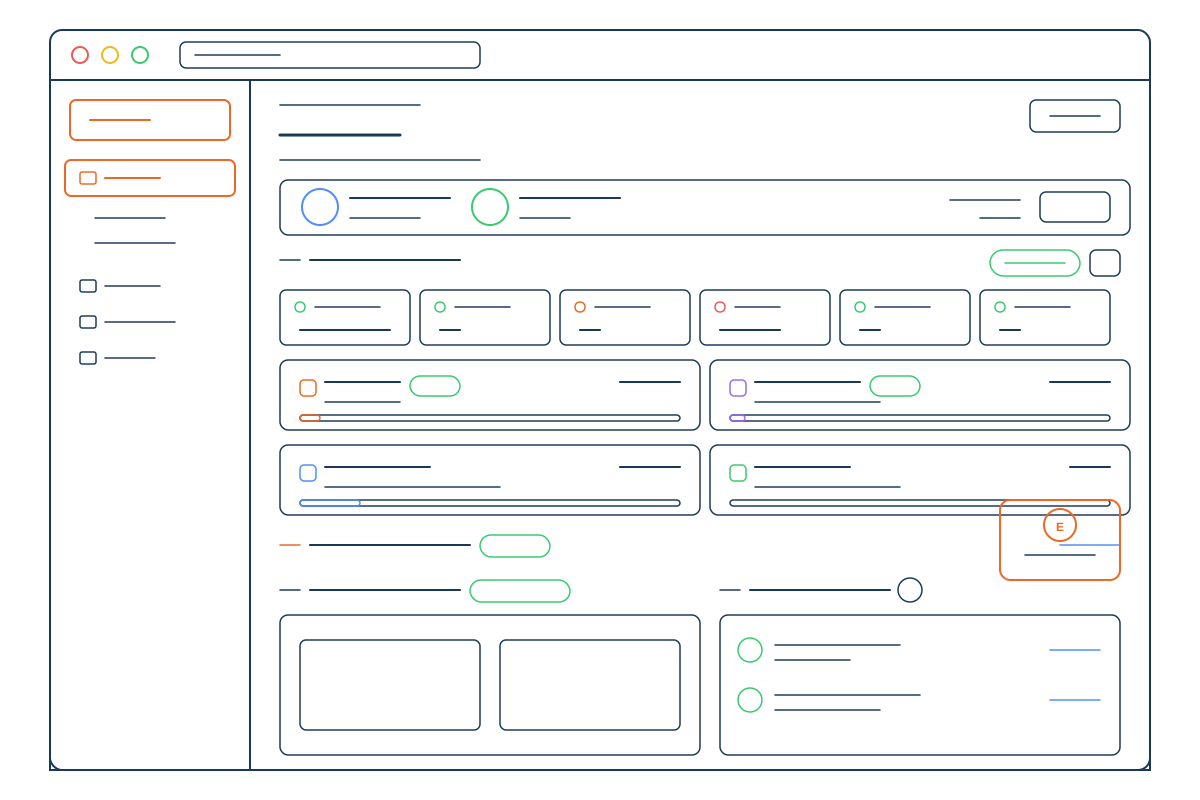
How it works
Push. Build. Live.
Three Git providers, one pipeline. Choose ship-on-every-push, or build-and-hold until you promote it yourself.
Connect your repository
Link GitHub, GitLab, or Bitbucket via OAuth or a token, pick the repo and branch, and a push webhook is registered for you.
We detect and build
Each push clones the commit, detects Rails, Sinatra, or Rack, installs the gems your Gemfile.lock pins, precompiles assets, and packages a versioned image.
Health-check and promote
The container has to answer on its port within 30 seconds before it goes live. On Auto deploy it promotes itself; on Build only it waits for you.
Build #v9
CurrentBuild log
✓ Detected Rails · bundler 2.5
✓ bundle install (from lockfile)
✓ assets:precompile
✓ puma bound 0.0.0.0:3000
✓ Health check passed · promoted
The pipeline
What happens between push and live
Five stages, every time, with the previous build kept the whole way through.
Push
A commit lands on the tracked branch.
Detect
bin/rails, your Gemfile, or a bare config.ru tells us which of the three shapes your app is.
Build
Bundler installs in a resource-capped container. The result is a versioned image.
Health check
The new container must answer on its port within 30 seconds.
Live
It takes over traffic. The previous build stays, one click away.
Runtime
A real container, with a live view of it
Your app is a managed service with its own resources, automatic restarts, and logs you can read without opening SSH.
Config comes from ENV, always
Values are read straight from ENV at process start. Nothing is baked into the image, so rotating a secret is a restart rather than a rebuild.
RAILS_ENV and PORT are set for you
The two variables every Ruby deploy guide tells you to remember are already in the container. You supply the master key and, if you want one, a DATABASE_URL.
DATABASE_URL is optional
Set it and Rails uses it. Leave it out and the app falls back to the DB_* variables pointed at your MySQL host, which the panel already manages.
Gems checked after the build
Your Gemfile.lock is read at build time and re-checked nightly against the public advisory database, so an advisory published after your last deploy still reaches you, with the version that clears it.
Three versions, pinned
Ruby 4.0, 3.4 or 3.3. Pick one in the panel or pin it in your repo, and it stays pinned across deploys.
Databases, right where you expect them
Create MySQL databases and users in the panel, then reach them from your Rails app over TCP. The host is injected into ENV for you, and phpMyAdmin is one click away for browsing.
See the developer toolingPricing
Simple, transparent pricing
Every plan includes managed WordPress, SSH access, daily backups, and enterprise-grade security. Start with a 14-day free trial.
Black Friday30% off up to 3 years with code BLACKFRIDAY30Ends Cyber Monday, November 30
Startup
Great for growing businesses
$7.89
$66.29 a year for up to 3 years, then $94.70/yr
- 1 website
- 10 GB storage
- ~10,000 visits/month
- 5 MySQL databases
- 250,000 inodes
- 5 FTP users
What's included:
SSL & Domain
- Free SSL certificate
- Free starter domain
- 2 mailboxes
- 3 GB per mailbox
- Webmail, IMAP and SMTP
Advanced
For professional websites
$14.97
$125.79 a year for up to 3 years, then $179.70/yr
- 5 websites
- 20 GB storage
- ~110,000 visits/month
- 10 MySQL databases
- 500,000 inodes
- 10 FTP users
Everything in Startup, plus:
- 5 mailboxes
- 5 GB per mailbox
Backups
- 14 days of backup history
Performance
- Memcached object cache
- Redis object cache
Pro
Maximum performance and features
$22.89
$192.29 a year for up to 3 years, then $274.70/yr
- 10 websites
- 40 GB storage
- ~200,000 visits/month
- 20 MySQL databases
- 750,000 inodes
- 20 FTP users
Everything in Advanced, plus:
- 10 mailboxes
- 10 GB per mailbox
Deployment
- 2 SSR applications
Backups
- 30 days of backup history
Monitoring
- 1 minute between checks
For new customers on annual plans. Enter the code at checkout, or when you upgrade a free trial before the sale ends. The 30% comes off every year you pay for up front, 1 to 3 years; after that, renewals are at the plan's regular price. Ends 11:59 p.m. Eastern on Monday, November 30.
Ship it
Deploy your Ruby app in minutes
Connect a repo, push, and watch it go live under Puma. Included in every plan. Start free for 14 days, no credit card.
Questions